Belgium
May - 11

8

Bonjour/ZeroConf/Rendezvous/mDNS across multiple subnets

Posted in Linux on May 8th, 2011 by nicolas

Avahi, Zeroconf, mDNS, Bonjour, whatever you want to call it, is great for dealing with service discovery on your LAN where all hosts are located in the same broadcast domain. Indeed, the zeroconf protocol relies heavily on multicast for advertising and discovering services.

Sometimes, however, it is not possible to have a flat configuration and you have built different subnets for administrative purposes. Still, you think it would be cool to have services advertised by machines on a given subnet, available to machines on any other subnet.

One way of dealing with this is to use multicast routing and have your interconnection equipment pass multicast traffic from one subnet to another around your organisation. The zeroconf protocol uses only a few group addresses so this is not a big hassle to implement.

However, routing multicast is not always possible. As crazy as it may seem, even in the 21st century, some routers or wireless access points don’t support multicast routing :( In this case, another solution that exists is the use of service proxies.

A zeroconf proxy is a server software that will advertise services which are not hosted on the same machine. In this way, you could have one machine on subnet 1 advertising all the services that are provided by machines on subnet 2 and vice-versa.

For OS X there is the excellent network beacon from chaotic software available which should help you solve almost any problem with subnets and bonjour, zeroconf.

When it comes to linux, the avahi deamon is the way to go, twenty seconds, a simple file in /etc is all it takes to advertise a service.

On Windows on the other hand, the search can be quite longer. Indeed, you might find Rendezvous Proxy from iLeech to be quite nice until you start playing with multi-field TXT records (for any elaborated service such as Airfoil Speakers for example). At that point you’ll find out it is broken and generates malformed packets so you’ll search a little more and eventually come across a google code project named Bonjour Beacon and voilà, you’re all set!

To summarize a long post, bonjour, rendezvous, zeronconf, avahi, mDNS are the name of the protocol and the software implementations of it but they all do the same thing (and play nice with one another).

If you subnet, you can route multicast or use a proxy.

Good proxies are, avahi on Linux, Bonjour Beacon on Windows and network beacon on OS X.

Bookmark and Share
Tags:
Jan - 11

16

A clear view of the question: “why doesn’t Belgium have a government yet?”

Posted in General on January 16th, 2011 by nicolas

This is a great video, I’d be more than happy to be the “francophone” that M. Janssens refers to as his marching buddy.

Bookmark and Share
Aug - 10

22

Sharing a same disk image between various Xen domU virtual machines using aufs

Posted in Linux, Work on August 22nd, 2010 by nicolas

Xen virtualization can be a very effective method for large scale deployment of software agents in a virtualized network environment for testing applications’ scalability.

The first step you’d go if you were in the process of massively generating Xen domU would be to create a master virtual disk image and xen config file. A script that would clone this disk and configuration could then easily be written like this:
- Copy configuration file and disk image to a specific directory
- Edit configuration in order to adapt it to the new machines
- Launch the newly created domU

However, this process is suboptimal in many ways. First, each of the virtual machines that you’ve created will be using a copy of the master Xen drive image so a change to the system (i.e. software or distribution upgrade) would need to be performed on each domU individually. Also, the disk space requirements for such a setup can quickly become quite high, indeed, each domU needs a copy of the master disk image (typical Ubuntu deboostrap is around 700Mb).

One solution would be to use the same image file for all of the domU disks. However, a system, upon boot, needs a disk to which it can write. This is where things like a ramdisk or a second (smaller) virtual disk come handy. Yes but, how can you tell the system to write to this ramdisk instead of the shared disk image? Well, this is where unionfs (or aufs) filesystems come in handy. With these file systems, you can actually make two different partitions appear as a single one to the kernel.

For example; setups like the following can be achieved:
/dev/sda1 is 3Gb
/dev/sda2 is 300Mb

You can actually make it so that / is the union of both filesystems. For example, if either /dev/sda1 or /dev/sda2 contain the file /etc/fstab, then the resulting aufs file system will contain /etc/fstab. Furthermore, you can set it so that /dev/sda1 is read only and /dev/sda2 is read write. The hierarchy of aufs allows you to make it so that, if a file from /dev/sda1 is modified, it is written to /dev/sda2 and if a file is present on /dev/sda2, it has priority over the same file on /dev/sda1.

Now, how do you set that up for / ? As you know, the root of your system can hardly be remounted while the system has been booted. The idea is thus to prepare it (having / composed of two overlaid filesystems, one read only, the other read write) before that happens in an initramfs.

What follows works for Ubuntu 10.04 using the 2.6.32-24 kernel (as the latest one does not include the aufs module). I suppose that you have already deboostrapped a lucid ubuntu into a loop mounted filesystem image, chroot to the directory you mounted the image and do the following:


apt-get install aufs-tools
echo aufs >> /etc/initramfs-tools/modules

Next, you’ll need to add the script that will create the aufs hierarchy as
/etc/initramfs-tools/scripts/init-bottom/__rootaufs and chmod it as 755

This comes from the Ubuntu community wiki, I’ve adapted the script a little so that the read write parition is /dev/sda2


# Copyright 2008 Nicholas A. Schembri State College PA USA
#
# This program is free software: you can redistribute it and/or modify
# it under the terms of the GNU General Public License as published by
# the Free Software Foundation, either version 3 of the License, or
# (at your option) any later version.
#
# This program is distributed in the hope that it will be useful,
# but WITHOUT ANY WARRANTY; without even the implied warranty of
# MERCHANTABILITY or FITNESS FOR A PARTICULAR PURPOSE. See the
# GNU General Public License for more details.
#
# You should have received a copy of the GNU General Public License
# along with this program. If not, see
# .

case $1 in
prereqs)
exit 0
;;
esac

export aufs

for x in $(cat /proc/cmdline); do
case $x in
root=*)
ROOTNAME=${x#root=}
;;
aufs=*)
aufs=${x#aufs=}
case $aufs in
tmpfs-debug)
aufs=tmpfs
aufsdebug=1
;;
esac
;;
esac
done

if [ "$aufs" != "tmpfs" ]; then
#not set in boot loader
#I'm not loved. good bye
exit 0
fi

modprobe -q --use-blacklist aufs
if [ $? -ne 0 ]; then
echo root-aufs error: Failed to load aufs.ko
exit 0
fi

#make the mount points on the init root file system
mkdir /aufs
mkdir /rw
mkdir /ro

# mount the temp file system and move real root out of the way
mount -t ext3 /dev/sda2 /rw
mount --move ${rootmnt} /ro
if [ $? -ne 0 ]; then
echo root-aufs error: ${rootmnt} failed to move to /ro
exit 0
fi

mount -t aufs -o dirs=/rw:/ro=ro aufs /aufs
if [ $? -ne 0 ]; then
echo root-aufs error: Failed to mount /aufs files system
exit 0
fi

#test for mount points on aufs file system
[ -d /aufs/ro ] || mkdir /aufs/ro
[ -d /aufs/rw ] || mkdir /aufs/rw

# the real root file system is hidden on /ro of the init file system. move it to /ro
mount --move /ro /aufs/ro
if [ $? -ne 0 ]; then
echo root-aufs error: Failed to move /ro /aufs/ro
exit 0
fi

# tmpfs file system is hidden on /rw
mount --move /rw /aufs/rw
if [ $? -ne 0 ]; then
echo root-aufs error: Failed to move /rw /aufs/rw
exit 0
fi

cat </aufs/etc/fstab
# This fstab is in ram and the real fstab can be found /ro/etc/fstab
# the root file system ' / ' has been removed.
# All Swap files have been removed.

EOF

#remove root and swap from fstab
cat /aufs/ro/etc/fstab|grep -v ' / ' | grep -v swap >>/aufs/etc/fstab
if [ $? -ne 0 ]; then
echo root-aufs error: Failed to create /aufs/etc/fstab
#exit 0
fi

# add the read only file system to fstab
ROOTTYPE=$(cat /proc/mounts|grep ${ROOT}|cut -d' ' -f3)
ROOTOPTIONS=$(cat /proc/mounts|grep ${ROOT}|cut -d' ' -f4)
echo ${ROOT} /ro $ROOTTYPE $ROOTOPTIONS 0 0 >>/aufs/etc/fstab

# S22mount on debian systems is not mounting /ro correctly after boot
# add to rc.local to correct what you see from df
#replace last case of exit with #exit
cat /aufs/ro/etc/rc.local|sed 's/\(.*\)exit/\1\#exit/' >/aufs/etc/rc.local
echo mount -f /ro >>/aufs/etc/rc.local

# add back the root file system. mtab seems to be created by one of the init proceses.
echo "echo aufs / aufs rw,xino=/rw/.aufs.xino,br:/rw=rw:/ro=ro 0 0 >>/etc/mtab" >>/aufs/etc/rc.local
echo "echo aufs-tmpfs /rw tmpfs rw 0 0 >>/etc/mtab" >>/aufs/etc/rc.local
echo exit 0 >>/aufs/etc/rc.local

mount --move /aufs ${rootmnt}
exit 0

Once this is done, update the initramfs using:
update-initramfs -u

Exit the chroot and copy the newly generated initrd as well as the corresponding kernel outside the chroot (so you can have it available to xen on its filesystem).

Now, in the xenconfig for the domU you generate, you’ll need to pass aufs=tmpfs on the kernel line and reference the initrd that you copied out of the chroot. Be sure that the domU has two disks, sda1 (read-only) pointing to the disk image that will be shared by all, and sda2 which is a small (100Mb ?) disk image to which changes will be written. Also, you’ll want sda1 to be attached read-only to the machine so it can be attached to several domU simultaneously.

Depending on the number of machine instances you want, you’ll also want to increase the maximum number of loop mounted file systems on the host, this can be done by editing /etc/modules and adding options loop max_loop=64 (or any other value you like). Be sure to rmmod and modprobe loop again or reboot the host so the change is effective.

There you go, you should now have multiple domU virtual machines as Xen guests fully functional but sharing the same core disk image. Also, you might want to have IP addresses distributed by a dhcp server in a coherent way by generating the MAC address of the domU config file, the machine hostname can easily be customized by a kernel parameter that you add (following the aufs=tmpfs parameter) and as you certainly might want to have an ssh server running on each host, be sure that you remove the ssh host keys and add a dpkg-reconfigure openssh-server at the end of /etc/rc.local so they are generated on first boot (they’ll be stored on the read write partition).

Enjoy!

Bookmark and Share
Tags: , , ,
Apr - 10

6

Changing the timezone of cacti graphs using rrdtool

Posted in Linux, Work on April 6th, 2010 by nicolas

I’ve recently come accross an interesting problem while trying to use a cacti install running on a server located in Europe in order to monitor, generate and export statistics to be read by people in Central America. Indeed, the generated graphs indicated CET time while the people for whom the graphs were interested expected UTC-6 time.

While there has been a support request in cacti for this particular feature and I’ve come across a patch for 0.8.6 on cacti forums, I haven’t found a solution that is integrated into cacti. So I went for an external graph generation script.

Cacti generates graphs by invoking rrdtool which itself relies on the value of the TZ environment variable to determine the offset that it must apply to variables stored inside the database. Indeed, the time stored in an rrd is UTC by default and an offset is applied during graph generation in order to transpose this to any local time according to the value of the TZ variable.

The script I’ve created simply uses the command line I got from cacti by turning graph debugging on in the graph management for the particular graph I wanted to export.

TZ=”America/El_Salvador” /usr/bin/rrdtool graph – –imgformat=PNG –start=-86400 –end=-300 –title=”Radio Clasica” –base=1000 –height=120 –width=500 –alt-autoscale-max –lower-limit=0 –vertical-label=”" –slope-mode –font TITLE:12: –font AXIS:8: –font LEGEND:10: –font UNIT:8: DEF:a=”/var/lib/cacti/rra/paris_clasica_91.rrd”:clasica:AVERAGE AREA:a#AFECEDFF:”" > clasica_1.png
TZ="America/El_Salvador" /usr/bin/rrdtool graph -
--imgformat=PNG --start=-86400 --end=-300
--title="My graph title" --base=1000 --height=120
--width=500 --alt-autoscale-max --lower-limit=0
--vertical-label="" --slope-mode --font TITLE:12:
--font AXIS:8: --font LEGEND:10: --font UNIT:8:
DEF:a="/var/lib/cacti/rra/my_file.rrd":somefield:AVERAGE
AREA:a#AFECEDFF:"" > somefield_1.png

The TZ=”America/El_Salvador” part of the command line redefines the value of the TZ environment variable before executing rrdtool. This modification is only local to the process from which rrdtool is launched and does not affect the current shell. The TZ variable is part of the zoneinfo package, the full list of possible values for this variable can be found under the /usr/share/zoneinfo directory of any linux machine.

Notice the –start=-86400 –end=-300 part in the above command, these indicate respectively the start and end time for the graph to be generated. The values above correspond to a full 24 hours (the day view in cacti). For the week, month and year view, the values are as follows:
--start=-604800 --end=-1800
--start=-2678400  --end=-7200
--start=-33053184  --end=-86400
The last step for me was to add this to crontab, I’ve created a file in /etc/cron.d which I named graphExport with the following contents:
MAILTO=myusername
*/5 * * * * www-data /path/to/myscript.sh >/dev/null 2>&1
www-data is the user who owns the rrd that is used for generating the graphs by myscript.sh.

Using this trick, I can now generate graphs that make sense to the people they’re intended for without asking them to perform the conversion from UTC by themselves.

Bookmark and Share
Tags: , ,
Apr - 10

3

Ubuntu 10.04 Lucid Lynx Beta 2 on April 8th

Posted in Linux on April 3rd, 2010 by nicolas

The next ubuntu release, 10.04 is planned to be released on April 29th 2010. While the date is closing by rapidly, the development process is right on its track.

With a first beta release mid-March which allowed to spot some nasty bugs of all kind, the community is now working towards a second beta. Beta 2 is already past “freeze”, the point at which any additional change to the core packages of the distribution is subject to a process known as “freeze exception” for which good motivations must exist and thorough review is performed  by the release managers to make sure nothing that works is affected by the proposed change.

Needless to say, Lucid Lynx beta 2 will be a much more stable version with many bugfixes when its released on April 8th.

Areas in which you can still help at this points are:

  • installing beta 2 and reporting bugs which are not yet reported or adding information to the existing report that might help track it down
  • participating in the translation process through the translators groups until April 22nd.

The next step is to get a release candidate version on the 22nd for a final release of Lucid Lynx 10.04 LTS on April 29th! Get involved!

Bookmark and Share
Tags:
Sep - 09

24

Ubuntu 10.04 – LL for Lucid Lynx

Posted in Linux on September 24th, 2009 by nicolas

Mark Shuttleworth made the announcement a few days ago already that the next Ubuntu version will be named Lucid Lynx. It’s going to be an LTS which will superseed to the Hardy Heron and there will be a direct upgrade path from 8.04 as there always is between LTS releases. Lucid Lynx development will begin in November 2009 and the release is due in April 2010. However, Hardy will be supported through 2011 to allow for organization to upgrade in a smooth fashion!

Below is a video of Mark Shuttleworth who was in Atlanta at the time announcing, among other things, the codename and release goals.

As always with Ubuntu, things such as codename and release goals are defined by the community through discussion and white papers. All of this takes places between Launchpad.net, IRC and mailing lists as well as some quality websites, blogs and the community wiki.

Bookmark and Share
Tags:
Sep - 09

23

Terminator: The revolutionary terminal

Posted in Linux, Work on September 23rd, 2009 by nicolas

When doing stuff on the console, I often find it tremendously useful to have multiple terminals open. In the old days, I used to log in several times in tty1 through tty4. This way, I could have BitchX and later irssi in one terminal, have my SSH session running in another terminal while still having a quick hand on the local machine. After this came screen which revolutionized the multi-terminal world by allowing the same schemas (BitchX, remote, local…) to be implemented on remote machines and detached so you could keep your sessions alive even while you’re not connected.

In the world of X and graphical frontends, terminals are still very useful. I’m having a hard time thinking of a day during the past year in which I didn’t fire one up for some task or the other. I often found myself with many terminals windows open at the same time which quickly became quite hard to manage. Luckily enough, I came across Terminator, a small utility that made my life alot easier.

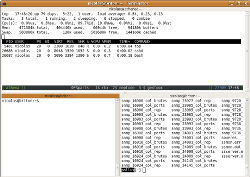
terminatorTerminator is a gnome app which is an extension of the gnome-terminal application in order to integrate features that screen has. You start with a plain terminal, when you need another one, you go for a quick CTRL+SHIFT+o or CTRL+SHIFT+e to split it in half either horizontally or vertically. After opening a few you navigate between them by using CTRL+SHIFT+p and CTRL+SHIFT+n for respectively going to the previous and next one. Should you need extra space for a few moments to focus on something, you can expand the current terminal so it occupies the whole window by simply doing a CTRL+SHIFT+x, and there is a ton of other great features which I use less often.

Terminator can be installed by a simple apt-get install terminator in both debian and ubuntu ;) That rocks.

The official homepage can be found here:

Bookmark and Share
Sep - 09

22

Cities I’ve Visited Application on Facebook

Posted in Tourism on September 22nd, 2009 by nicolas

I’ve recently come across this neath application on Facebook, it’s called Cities I’ve Visited. Indeed; I’ve traveled quite a bit during the last few years for work and it would have been great to have something like that back then.

My Map Not only does the application allow you to pinpoint the places where you’ve been and hence about which you’d be able to give advice to your friends, it also allows you to let people know of your upcoming trips, find friends who’ve already been there in order to get tips. Really nice ;)

Bookmark and Share
Jun - 09

14

French people generally “try to speak englisch”!

Posted in Tourism on June 14th, 2009 by nicolas

102_4222

Traveling around the Toulouse region, in a path directed by hunger and satisfaction, I came across the most sincere door label I’d ever seen :)

The sign is displayed on the door to a “boulangerie” (bakery) and obviously is a call for the hungry tourist to come in and enjoy the region’s specialty. Although you can also find “calissons” which are not specially typical of the region in there too.

Anyway, I think the sing says it all.

Bookmark and Share
Jun - 09

14

Trac : A great project management tool !

Posted in Java & Eclipse, Work on June 14th, 2009 by nicolas

trac_logo

@Work, I’ve worked on several software projects. First, I was a plain programmer not caring for the “where are we now?” question but rater quickly, I was assigned managerial responsibilities and the only thing that I had on my mind was “where are we now!?”. I’ve found the Trac project to be just what I needed in order to successfully calm my stress by providing a constant answer to the big question.

Read more »

Bookmark and Share